

Download FocusWriter Portable – distraction-free writing, portable text editor, open-source, full-screen writing, goal setting, live word count, customizable writing environment, writing tool, writing app, writer's assistant, productivity app, writing utility
Overview
FocusWriter Portable is a free, open-source mobile application designed to deliver a distraction-free writing experience on Android devices. Built specifically for writers, students, and content creators, it eliminates visual clutter by taking over the entire screen, allowing users to focus solely on their thoughts and words. The app addresses the common challenge of digital distractions—notifications, app icons, and multitasking windows—that often disrupt creative flow and productivity. By creating a minimalist interface, FocusWriter Portable helps users maintain concentration, especially during long writing sessions or when working under time constraints.
Its primary target audience includes freelance writers, bloggers, students preparing essays, and anyone who values a clean, immersive workspace. The developer, FocusWriter, has prioritized simplicity and functionality, ensuring the app remains lightweight and efficient. The portable nature of the app allows users to carry their writing environment with them—on a USB drive or portable storage device—without requiring installation. This makes it ideal for shared computers, public terminals, or travel scenarios where users need consistent access to their writing tools. In the broader productivity app ecosystem, FocusWriter Portable stands out by combining core writing functionality with portability and customization, offering a reliable alternative to more complex word processors.
Key Features & Functionality
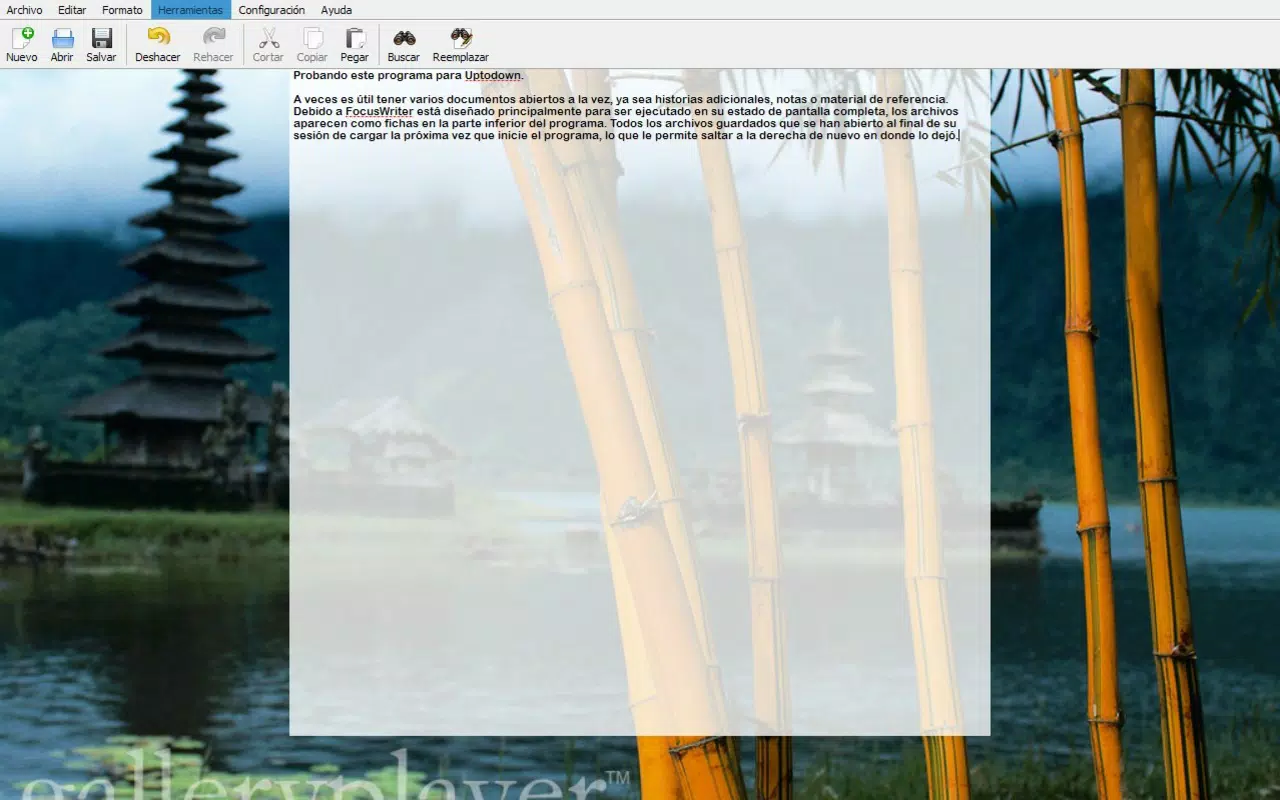
- Full-Screen Mode: The app activates a true full-screen writing environment, removing all UI elements and system distractions. This immersive experience ensures that users remain focused on their content without visual interruptions.
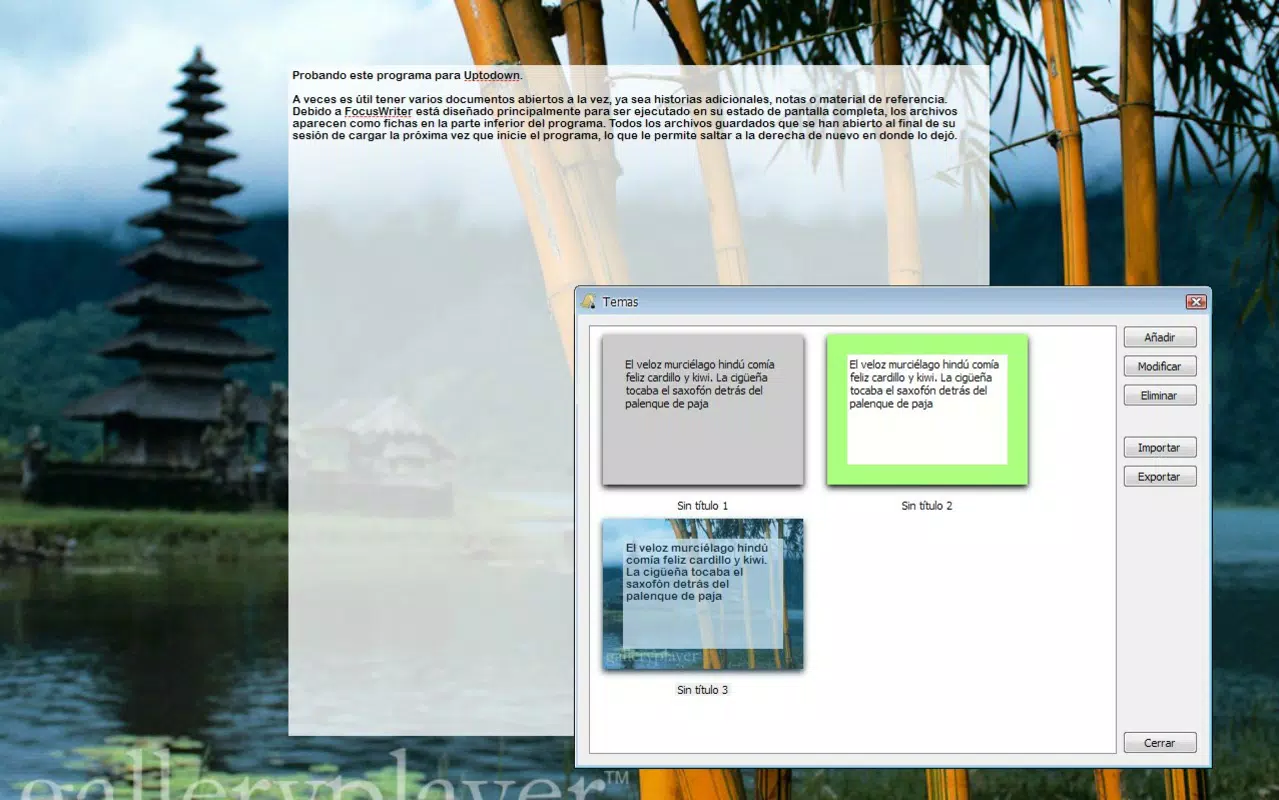
- Customizable Interface: Users can personalize the background color, font type, font size, and line spacing to create a writing environment that matches their comfort and aesthetic preferences.
- Live Word Count: Real-time tracking of words and characters is displayed, helping writers monitor progress toward daily or project-specific goals. This feature supports productivity by providing immediate feedback on output.
- Portable Functionality: The app can be run directly from a USB drive or portable storage device without installation. All user settings, documents, and preferences are preserved across sessions, ensuring continuity.
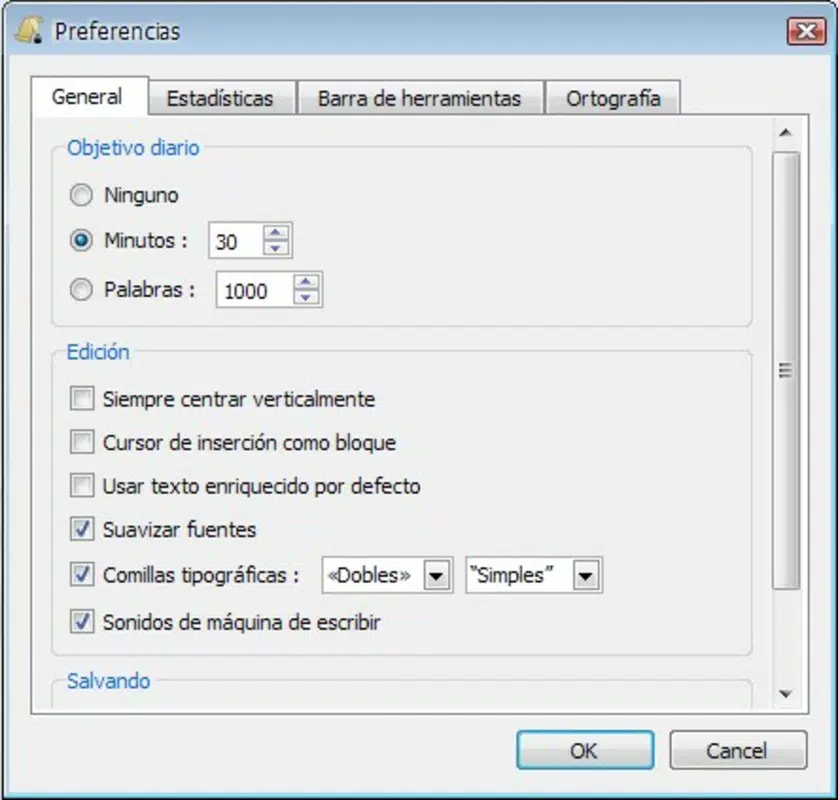
- Goal Setting Capabilities: Writers can set daily word count targets, and the app provides visual cues to track progress, encouraging consistent writing habits and routine development.
For example, a student preparing for a thesis might use the live word count and goal setting features to maintain a steady pace. A blogger could leverage the customizable interface to reduce eye strain during evening writing sessions. The portability feature allows a writer to switch between devices seamlessly, making it a valuable tool for those working in multiple environments.
Interface, UX & Performance
FocusWriter Portable features a minimalist user interface designed to reduce cognitive load. The layout centers on a clean, uncluttered writing area with no visible menus or toolbars unless explicitly accessed. Navigation is intuitive, relying on simple gestures or a single tap to toggle between modes. The visual style is neutral and functional, with emphasis on readability rather than decorative elements.
Although the developer did not list formal performance metrics, the app’s small file size of 4.7 MB suggests efficient resource usage. It is expected to run smoothly on a wide range of Android devices, including entry-level smartphones and tablets. Responsiveness appears consistent, with minimal lag during text input and mode switching. Stability is maintained through the app’s lightweight architecture, which avoids background processes that could impact battery life or system performance.
Users can expect a consistent experience across different screen sizes and resolutions, thanks to adaptive layout design. The app does not require extensive permissions, aligning with its privacy-focused philosophy. Overall, the UX is optimized for focus, with minimal interaction overhead and a clear path to writing.
Platform Compatibility & Technical Requirements
FocusWriter Portable is available exclusively on the Android platform. The current version is 2.3.0, with a file size of 4.7 MB. The app is free to download and use, with no in-app purchases or advertisements.
The developer did not specify minimum OS requirements or device compatibility details. However, given its lightweight nature and open-source foundation, it is likely compatible with most Android devices released in the last five years. Users should ensure their device supports running portable applications from external storage, as this is essential for the app’s core functionality.
Pros and Cons
Pros
- Free and open-source, ensuring transparency and community-driven development.
- Distraction-free full-screen mode enhances focus and writing productivity.
- Highly customizable interface to suit personal writing preferences.
- Portable functionality allows use without installation on any device.
- Live word count and goal setting support tracking and motivation.
Cons
- Specific technical requirements and OS compatibility were not disclosed.
- No built-in document saving or cloud sync features mentioned.
- Limited to Android platform; no iOS or desktop version confirmed.
- Basic feature set may not appeal to users seeking advanced formatting or collaboration tools.
- Portability relies on external storage access, which may not be available on all devices.
FAQ
Is FocusWriter Portable safe to use?
Yes, the app is free, open-source, and does not require excessive permissions. Its lightweight design and lack of ads contribute to a secure user experience.
Can I use FocusWriter Portable on iOS devices?
The app is currently available only on Android. There is no confirmed iOS version or release timeline.
Does FocusWriter Portable require installation?
No, the portable version can be run directly from a USB drive or external storage without installation. All settings are retained across sessions.
How do I set a writing goal in FocusWriter Portable?
Users can define daily word count targets within the app’s settings. Progress is displayed in real time, helping to maintain motivation.
Is my writing data saved when using the portable version?
Yes, the app retains all user settings and documents on the portable storage device. However, no automatic cloud backup is included.
Final Thoughts
FocusWriter Portable delivers a powerful, minimalist writing experience tailored for users who value focus and simplicity. Its open-source nature, portability, and customizable interface make it a standout choice among productivity apps. While it lacks advanced collaboration or cloud features, it excels in its core mission: helping writers stay immersed and productive. The live word count and goal-setting tools add measurable value for those aiming to build consistent writing habits.
Whether you're a student, blogger, or professional writer, this app offers a reliable, lightweight solution for distraction-free writing. Its ability to run from portable storage ensures you can write anytime, anywhere—without dependencies on a specific device or installation.
Download FocusWriter Portable now


